Reclaim Android storage with CleanAI: Smart Phone Cleaner
Reclaim space with CleanAI: Smart Phone Cleaner, an Android utility from LIKE DAT YOUTH CONNECTIONS that targets storage bloat. The app scans devices with AI-assisted detection to find junk files and similar media, then presents recovery and compression options. It pairs a swipe-to-clean review workflow with storage insights and app analysis. Designed for Android users who maintain large photo and video libraries, it aims to reduce manual sorting and recover usable storage quickly.
How thorough is CleanAI's media and junk detection?
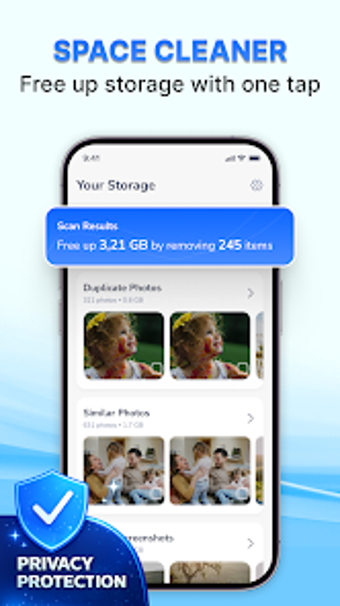
CleanAI includes specialised scanners for cache and residual data, duplicate images, and large media files. The interface surfaces results by category, and the duplicate photo tool flags identical and near-identical images, including screenshots, using intelligent algorithms. The app does not delete items automatically; it requires user confirmation for every deletion. A short list of scan targets helps users focus on specific reclamation tasks:
- cache and temporary files
- duplicate and similar photos
- large videos and miscellaneous residuals
Does CleanAI affect device responsiveness during scans?
The product runs on Android and uses AI-assisted scanning to locate candidates for removal, but scanning is designed as a review-first workflow rather than a silent background purge. In addition, the video compressor lets users reduce file sizes without removing originals, so users can act on space savings without immediate deletions. Because every removal requires confirmation, heavy cleanups are paced by user review rather than automatic bulk changes.
Is CleanAI safe for everyday storage maintenance?
Safety is handled by requiring explicit user approval before any file is removed, which reduces accidental loss during cleanup. Storage insights display file categories and sizes to support informed decisions, and app management highlights applications occupying significant space. Users report the swipe-to-clean method makes manual review quicker, though the experience may include advertisements during use; that presence can interrupt a continuous review session.
Practical choice for photo-heavy Android users, with one notable trade-off
CleanAI is a practical option for Android users who need straightforward storage reclamation and media pruning. Its review-first approach and forced confirmations reduce accidental deletion risk, while compression options preserve content without removing originals. One trade-off is that the workflow relies on manual review and may display advertisements, which can slow large batch operations. For anyone managing large galleries, it performs reliably as a review-centric cleaning tool.